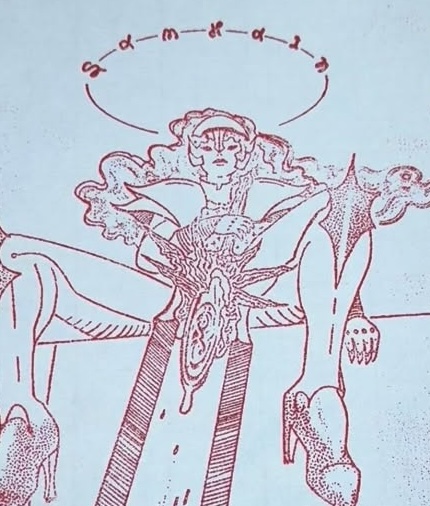
Process for block printing onto lino
My first attempts at laser-cutting a linoleum block of an original illustration last year didn’t go well.
However after a lot of time spent (and test paper wasted :0) I’ve found a few things that improved the print process over 4 iterations:
Linoleum size and treatment
I tested on earlier different versions but finally bought 9"x12" linoleum. It’s hard to find this pre-mounted but it’s important that it’s mounted to a block and flattened so that it doesn’t curl, for a few obvious reasons (the laser has a focus field of < a few mm, and printing also would suffer if it wasn’t flat).
Dimensions must be large enough to capture detail (this is a combination of line width and the digital file, but ultimately needs to result in the smallest impressions being >= 0.5mm).
9"x12" was also a more common print media size.
The file prep
I manually increased the line width of the illustration in photoshop (thresholded the file, selected dark area, expand by 2px, fill)
Laser settings
I did 2 passes on a raster at 17% power and 0.8x speed. I did the second pass at 0.81x just to offset what appeared to be a stippled patterning that I worried was due to pulsing (?).
1.0x speed was too fast imo and abraded the vertical lines (as if the laser was turning on too soon or not turning off soon enough). L. later informed me that the CO_2 laser tube has a “warm-up” time per pulse, which would explain this.
Post-print treatment
Removed linoleum dust with air compressor and a brush.
Printing
Honestly this is still the most challenging part for me. Getting the right amount of paint on the roller, applying the paint to the print, laying the paper on (I want to make a registration aid for this), then applying the right amount of pressure… using rice paper and oil-based paint really helps here; haven’t done this on more traditional paper yet but might try the fluorescent/black once I get the right size again.